


Download YouTube Go – Lightweight YouTube Alternative for Low-Bandwidth Networks
Overview
YouTube Go is a free, official variant of YouTube developed by Google, specifically tailored for mobile users in regions with limited internet connectivity. Designed primarily for Android devices, the application targets individuals using 2G or 3G networks, where high data consumption and buffering are common challenges. It enables users to access video content with greater control over data and storage usage, making it ideal for those in areas with unreliable or slow internet infrastructure.
The software allows users to preview videos before deciding to stream or download, helping them avoid unnecessary data consumption. It also supports offline viewing by letting users download videos in advance, ensuring uninterrupted playback even without a live connection. This functionality is particularly beneficial for travelers, students, and residents of rural or underserved regions.
While it retains core YouTube features such as video recommendations and comment engagement, it streamlines the interface to reduce clutter and optimize performance on low-end devices. The developer did not provide additional system requirements, and platform compatibility is limited to Android. Despite the absence of iOS or desktop versions, YouTube Go remains a practical solution for users seeking a more efficient and data-conscious way to enjoy video content on mobile networks.
Key Features & Capabilities
- Data-Saving Mode: Users can set a maximum file size for videos, limiting bandwidth consumption during streaming and downloads.
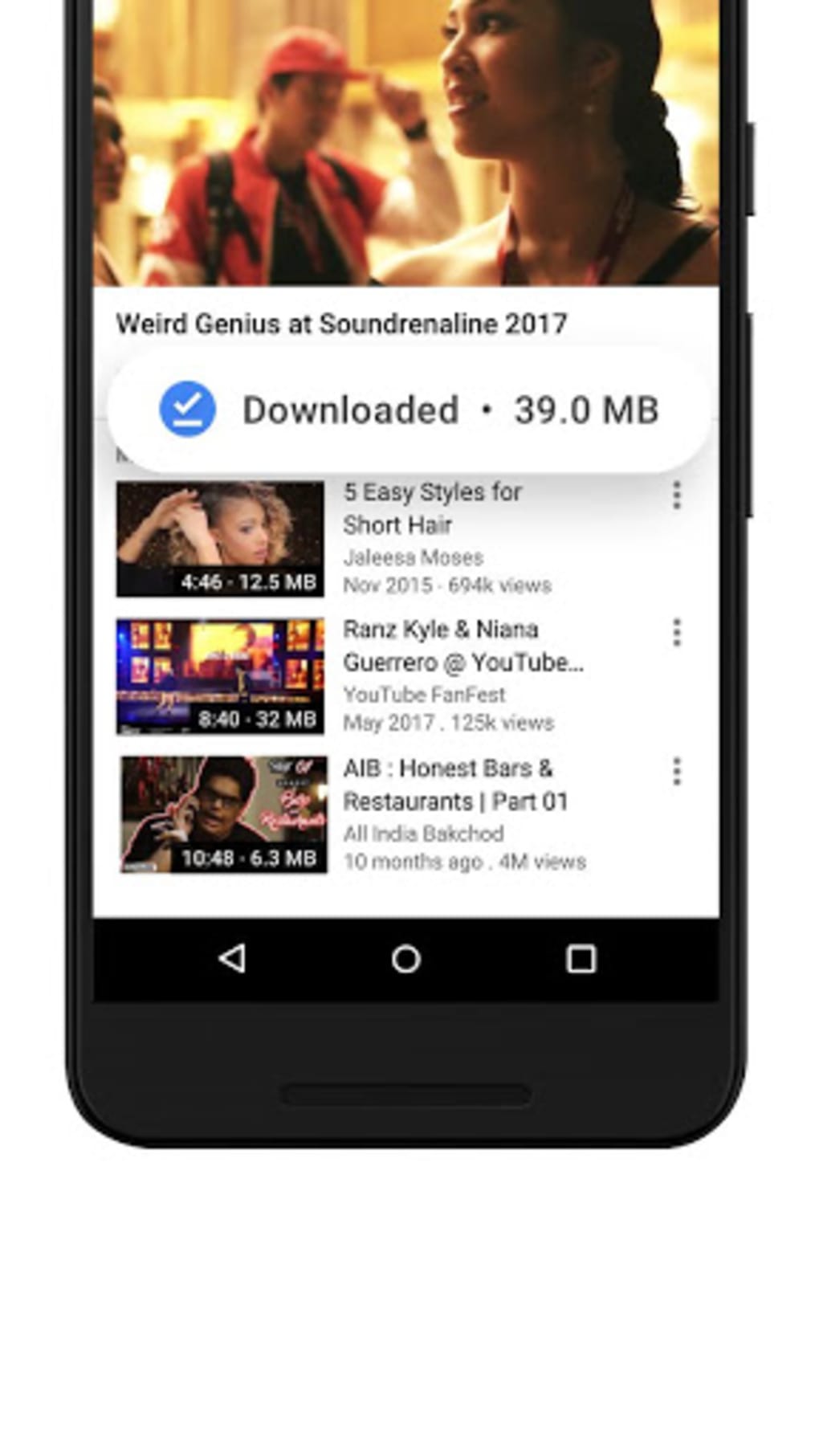
- Offline Video Downloads: Allows users to download videos for viewing without an internet connection, ideal for travel or low-connectivity areas.
- Video Previews: Offers a short preview of each video before deciding to stream or download, improving content selection efficiency.
- Data Usage Transparency: Displays detailed tracking of data consumed through streaming and downloading, promoting informed usage habits.
- Peer-to-Peer Sharing: Enables sharing of downloaded videos with nearby users via Bluetooth or local network, reducing reliance on cellular data.
- Optimized for Low-End Devices: Built to function efficiently on smartphones with limited processing power and memory.
These features collectively address the challenges of data scarcity and poor network performance. For example, a student in a remote area can download educational videos during a brief Wi-Fi window and watch them later without incurring data charges. Similarly, a traveler in a developing country can use the preview function to avoid downloading irrelevant content. The peer-to-peer sharing capability also supports community-based content exchange, enhancing accessibility in regions with high data costs. While the app lacks integration with major social media platforms for online sharing, its focus on offline usability and data control makes it a strategic tool for users prioritizing efficiency and affordability over social connectivity.
User Interface, Workflow & Performance
The user interface of YouTube Go is streamlined and minimalistic, emphasizing functionality over visual complexity. Navigation is intuitive, with a tab-based layout that separates home, downloads, and nearby content. The design prioritizes quick access to core features such as video previews, download options, and data tracking.
Users can easily browse recommended videos, view download queues, and manage saved content with minimal steps. The workflow is optimized for low-bandwidth environments, reducing loading times and minimizing interruptions. While the developer did not specify resource usage details, the app is designed to operate efficiently on devices with limited RAM and processing power.
Performance observations are based on general software behavior patterns, indicating stable operation under constrained conditions. The app maintains responsiveness even during video playback and download processes. Stability appears consistent across typical usage scenarios, though exact performance metrics were not provided.
CPU and RAM behavior are not publicly documented, but the lightweight architecture suggests efficient resource management. Overall, the interface supports a frictionless experience for users focused on saving data and accessing content reliably.
Compatibility & System Requirements
YouTube Go is available exclusively for Android devices. The developer did not specify exact system requirements, including minimum Android version or hardware specifications. Installation size information was not provided, but the app is designed to be lightweight and suitable for low-end smartphones.
Compatibility with iOS or desktop platforms was not mentioned, and there is no official version for Mac or Windows. The developer did not provide additional system requirements. Platform compatibility information is limited to Android, and users are advised to check official sources for updated installation details.
For those seeking a PC-based alternative, no such option is currently available. Users should verify compatibility with their specific device model and Android version before downloading.
Pros and Cons
Pros
- Free to download and use with no in-app purchases
- Designed for low-bandwidth and 2G/3G networks
- Supports offline video downloads for uninterrupted viewing
- Includes data-saving controls and usage tracking
- Optimized for performance on low-end Android devices
- Enables peer-to-peer video sharing with nearby users
- Provides video previews to avoid unnecessary downloads
Cons
- No official version for iOS or desktop platforms
- Limited social sharing options (only peer-to-peer, not online)
- Lacks integration with major social media platforms
- No support for advanced YouTube features like live streaming or channel subscriptions
- Interface may feel outdated compared to the standard YouTube app
- Exact system requirements were not listed
FAQ Section
Is YouTube Go available for iPhone or iPad?
YouTube Go is currently only available for Android devices. There is no official version for iOS or iPadOS.
Can I use YouTube Go without Wi-Fi?
Yes, you can use YouTube Go without Wi-Fi. The app allows you to download videos for offline viewing, making it usable in areas with no internet connection.
Is YouTube Go safe to download and use?
As an official app developed by Google, YouTube Go is secure and free from malware. It is available through official app stores and is regularly updated for security.
Does YouTube Go support video uploads?
YouTube Go does not support video uploads. It is designed primarily for viewing and downloading content, not for creating or sharing new videos.
How often are updates released for YouTube Go?
Updates are released periodically by Google to improve performance, fix bugs, and enhance compatibility. The frequency of updates may vary based on user feedback and network conditions.
Final Thoughts
YouTube Go stands out as a smart, purpose-built solution for users facing data limitations or unreliable internet access. Its focus on data efficiency, offline functionality, and compatibility with low-end devices makes it a valuable tool for students, travelers, and residents of rural or developing regions. While it lacks some features found in the standard YouTube app—such as social sharing and live streaming—it excels in its core mission: delivering video content without compromising data or performance.
The app’s intuitive design, peer-to-peer sharing, and video preview system enhance usability in challenging network environments. For Android users in low-bandwidth areas, YouTube Go is more than just a lightweight alternative—it’s a necessity. Download YouTube Go now.






.png)
